Incident Management Software for Accurate Reporting & Faster Investigations

Simplify your incident management with streamlined workflows for recording, follow-up, reporting, and claims.

icon-workflow

Record Incidents

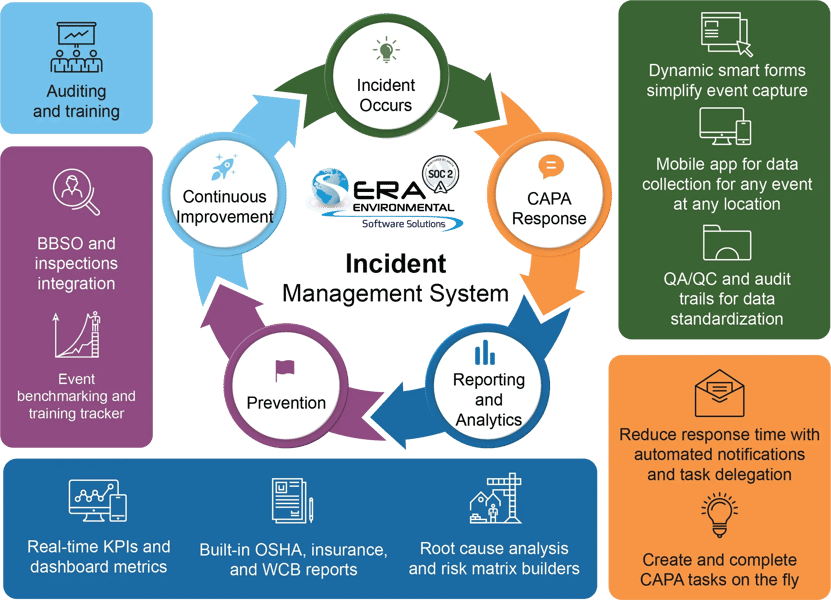
Record incidents anywhere via mobile app. Dynamic smart forms streamline data entry and allow for seamless evidence attachment.

Icon-task

Assign Actions

Carry out root cause analysis and assign CAPA tasks with automated reminders and clear accountability and visibility into progress.

Icon_track

Report and File

Generate forms ready for OSHA submission, custom reports, and file insurance and workers’ compensation claims electronically.

How ERA's Incident Management Software Helps Your Team

Watch this quick video for an overview of ERA's Incident Management Software and how it simplifies operations and improves workplace safety.

Automate Your Incident Management Process From Start To Finish

Record incidents, take action, gather data, and gain insights to enhance safety, compliance, and efficiency.
Infographic for incident management@4x
icon_mange

Smart Form Builder

Easily customize incident processes using our smart form builder, such as by adding custom triggers for tasks and notifications
icon_record

Comprehensive Reporting

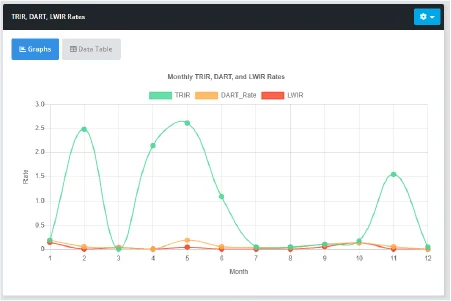
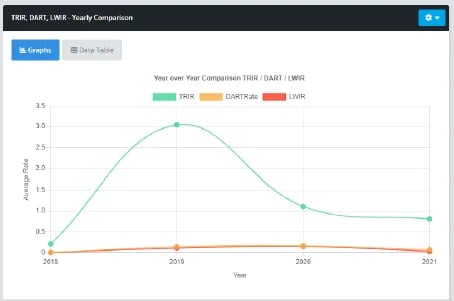
TIR, DART, severity summary, last recordable incident, injury-free event list, and weekly, monthly, and quarterly reports

icon_external

External Integration

Connect your Incident software with our BBSO module and built-in checklists for automated near miss recording
Incident Recording

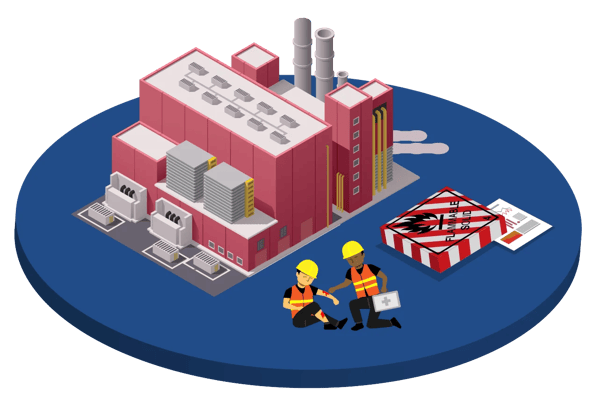
ERA's software provides an intuitive workflow for employees to record incidents quickly and accurately. 

Records incidents wherever they happen, whether onsite or offsite, with ERA's convenient mobile app.

Dynamic smart forms auto-populate available data based on employee and location, and guide the user through the recording process.

Simple forms and quick checklists let employees enter key details including date, time, incident type, description, and more.

The workflow adapts based on the incident type, such as injury, fire, spill, or vehicle, to gather necessary information without overwhelming.

Easily attach evidence, documentation, witness statements, and link cases to any associated Notice of Violation.

Recorded incidents are assigned to management for review, with automated reminders.

project-analysis-icon

Root Cause Analysis

Follow up on incidents with root cause analysis tools. Workflows for both Fishbone Diagrams and 5 Whys analysis let you trace incidents to their true cause.

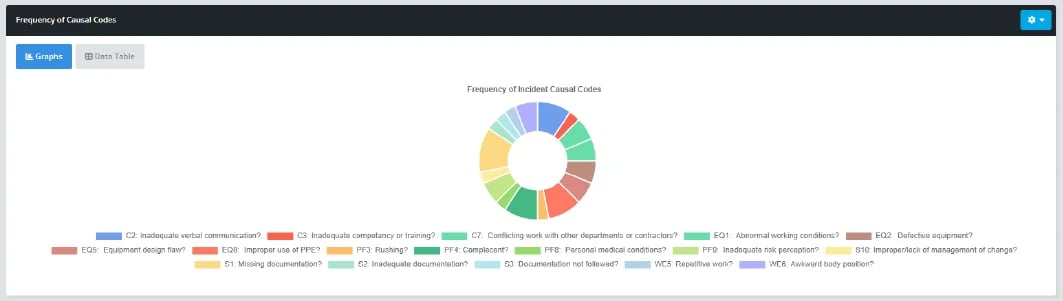
Track incidents by cause, whether defective equipment, poor management of change, missing documentation, or otherwise.

Generate reports on lessons learned and share them with other facilities to prevent similar incidents.
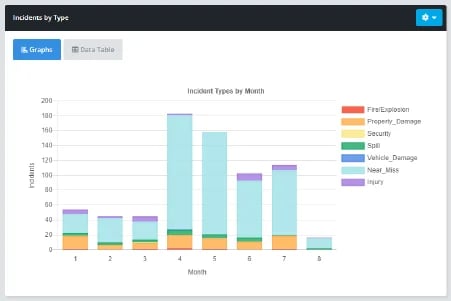
Key Performance Indicators and Data Visualization

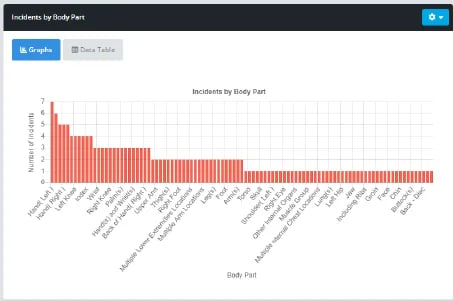
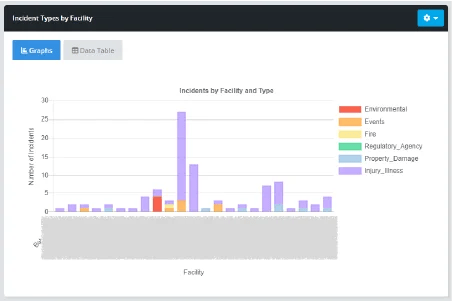
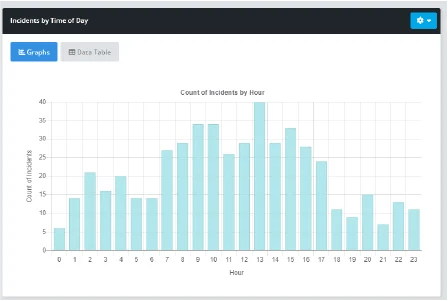
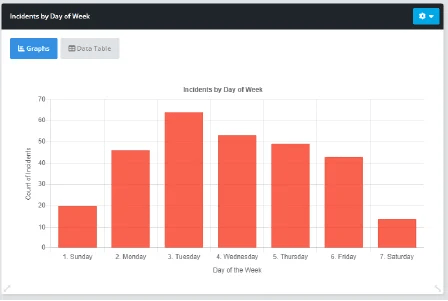
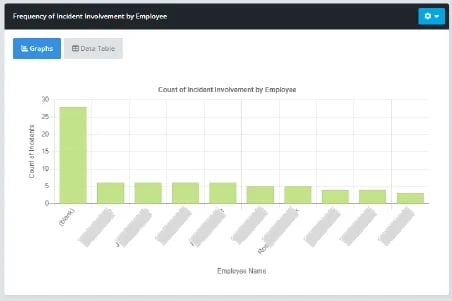
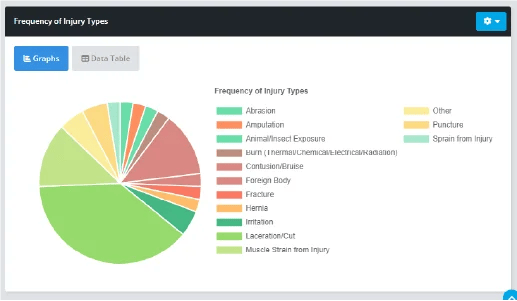
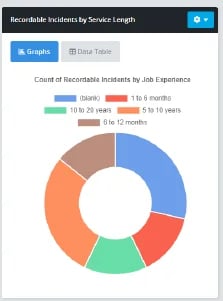
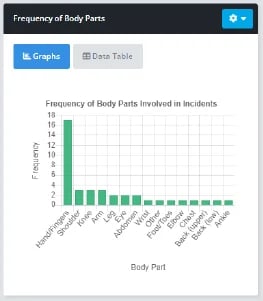
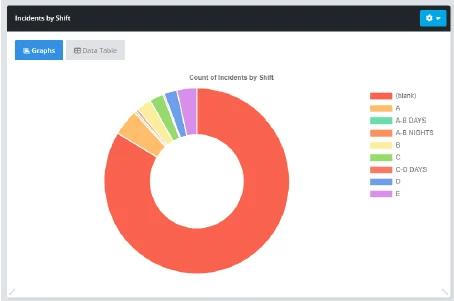
Custom dashboards let employees see assignments at a glance and provide insights into TRIR, DART, LWIR, and other metrics.
Incident KPI
Incident KPI 3
Incident KPI 10
Incident KPI 6
Incident KPI 11
Incident KPI 4
Incident KPI 2
Incident KPI 9
Incident KPI 13
Incident KPI 12
Incident KPI 16
Incident KPI 5
Incident KPI 17

Corrective and Preventive Action

Improve safety and prevent recurring incidents by assigning and tracking corrective and preventive actions (CAPA).

Create CAPA tasks tied to any incident directly within the incident recording workflow.

Assign CAPA tasks to employees and ensure accountability with automated reminders.

Management can track progress, see any overdue tasks, and sign off upon completion.

image_incident

Keep Employees Informed with Job Hazard Analysis Software Features

Our Job Hazard/Safety Analysis (JSA) capabilities make it easy to evaluate the dangers of any job at your facility and inform employees of potential injuries, required permits and PPE, applicable life-saving rules, nearby safety equipment, and any energy and environmental concerns.

You have total customization over the sequential steps, hazards, control measures, pictures, and graphical KPIs associated with the JSA process!
Reporting and Filing

Ready-to-submit forms and electronic filing make administration surrounding incidents easy

Generate ready-to-submit OSHA 300, 301, and 300A forms to meet your compliance obligations.

Integrate with your HR software to automate gathering employee data for claims.

Fill out and submit forms electronically for insurance and workers' compensation claims.

imaxinar-ipad-mock-up-1

Mobile Device Compatibility

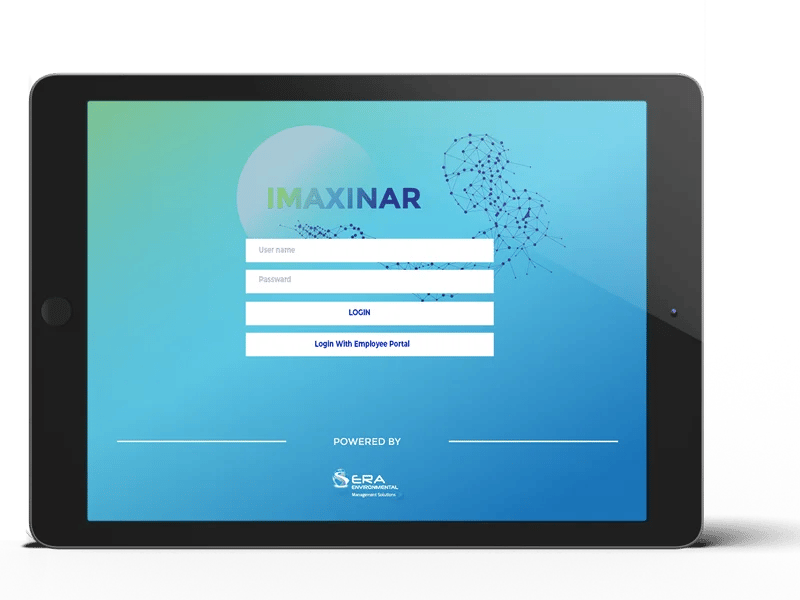
The Incident Management Module is by your side wherever and whenever an incident occurs.

Our application lets you create an incident report on the ground from any mobile device or tablet, even without an internet connection. You can also send and receive alerts from it to reduce response time.
The Ultimate Incident Management Strategy

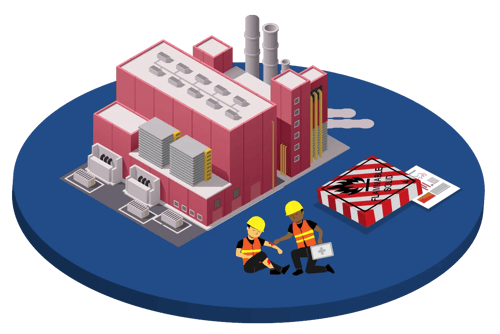
Take a deep dive into an effective approach to incident management, along with the data collection and corrective action tracking benefits of an IMS.

Simplifying the Incident Management Life Cycle

Our platform ensures your organization adheres to all stages of the Incident Management Life Cycle and simplifies critical incident management workflow tasks.

  • Navigate complex incident management processes with our cutting-edge Incident Management Framework, providing tools for the IMS Process Flow.

  • Our Incident Management Tools offer robust features compared to other incident management software. Manage incidents with ease using our Incident Management System Software, supported by expert incident managers.

image_incident

Your All-In-One Solution for Incident Management

Our Incident Management Program and Database provide actionable insights and real-time data for informed decision-making regarding:

  • Software Incident Management
  • Major Incident Management

Comprehensive Support for the Entire Life Cycle

Empower your business with our best-in-class Incident Management Software and stay ahead in operational efficiency. 

  • Let our Incident Management Reporting Tools and Framework be the cornerstone of your strategy.

Talk to an Analyst about your Incident Management project today!

Fill out the form below to get started and schedule a call to discuss how ERA’s comprehensive platform can meet your organization’s unique Incident needs.


FAQs

See frequently asked questions about our Incident Management System (IMS)

What should a company evaluate when comparing incident management systems?

First, look for a system that accounts for the entire workflow, from initial reporting through investigation, corrective action, filing, and closure. Mobile access is essential to let employees log incidents when and where they happen. ERA’s software provides ease of use and flexibility through dynamic smart forms. The best solutions should also fit existing business processes and help teams follow consistent procedures.

How can incident tracking improve incident response times?

Tracking incidents with an IMS lets your team see open cases, assigned actions, status, and overdue tasks in real time. With clear ownership and automated alerts, incident response can begin sooner, helping organizations resolve incidents promptly and address issues before they lead to similar events.

What information should be included in an incident report?

A complete report should capture the date and time, location, people involved, sequence of events, immediate controls, evidence, witnesses, and contributing conditions. This provides the foundation to carry out root cause analysis, create CAPA tasks, and improve safety over time. It also helps decision-makers compare short-term and long-term solutions and document why specific solutions were chosen.

Does ERA support the entire Incident Management Life Cycle?

ERA's software covers every aspect of incident management for operations and includes tracking and management of the Incident Management Process and Workflow Process

Does ERA software promote Major Incident Management Best Practices?

ERA helps you stay prepared with our detailed Incident Management Report Features.

Can I use the mobile application to enter new Incidents?

Yes, the Incidents workflow is enabled to work with ERA’s Imaxinar app, available for free download from the Apple App and Google Play Stores for use on both iOS and Android devices.

Incident Management Software: Key Benefits & Business Outcomes

ERA's Incident Management Software helps organizations capture, investigate, track, and resolve workplace incidents from initial reporting through corrective action closure. By automating incident workflows, root cause analysis, and regulatory reporting, organizations can reduce risk, improve workplace safety, and prevent recurring incidents.
  • Record workplace injuries, near misses, spills, vehicle accidents, property damage events, and other incidents within a single platform that creates a complete audit trail.
  • Capture incident details, supporting evidence, corrective actions, and root cause analyses through structured workflows that improve consistency and accountability.
  • Identify trends, contributing factors, and underlying causes so safety teams can implement preventive measures before similar incidents occur again.


  • Assign corrective actions automatically, notify responsible personnel, track completion status, and maintain a clear compliance record.
  • Generate accurate records and reports that support OSHA 300, 300A, and 301 requirements, workers' compensation claims, internal investigations, and safety audits.

Watch Our Incidents Demo Video

Fill out the form to instantly gain access to the ERA-EHS Incidents Demo Video.

Why our clients love ERA

⭐⭐⭐⭐⭐

The software is easily used by all our users

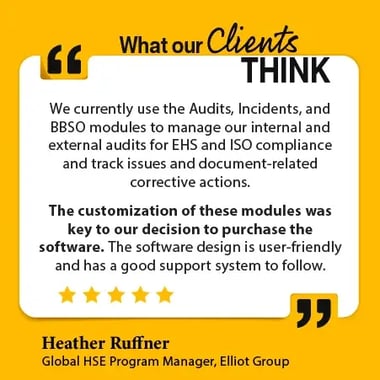
We currently use the Audits, Incidents, and BBSO modules to manage our internal and external audits for EHS and ISO compliance and track issues and document related corrective actions. The customization of these modules was key to our decision to purchase the software.
Heather Ruffner
Global HSE Program Manager, Elliot Group

⭐⭐⭐⭐⭐

No compliance issues for over 8 years

We have used this system for over 8 years. The Compliance Module has helped keep us from having compliance issues and helped during transitions between people. It provides the business continuity we need to keep productivity and compliance running smoothly no matter what situation we face.
 
Bob Waugaman
Regional EHS Manager, J.B. Poindexter Co.

⭐⭐⭐⭐⭐

Proven efficiency, accuracy, and overall performance

Since implementing the first 3 modules in 2008, the system has proven its efficiency, accuracy, and overall performance. Our business unit executives regularly express their confidence in their compliance systems.
 
Phil Schull
V.P. Risk Management, J.B. Poindexter Co.